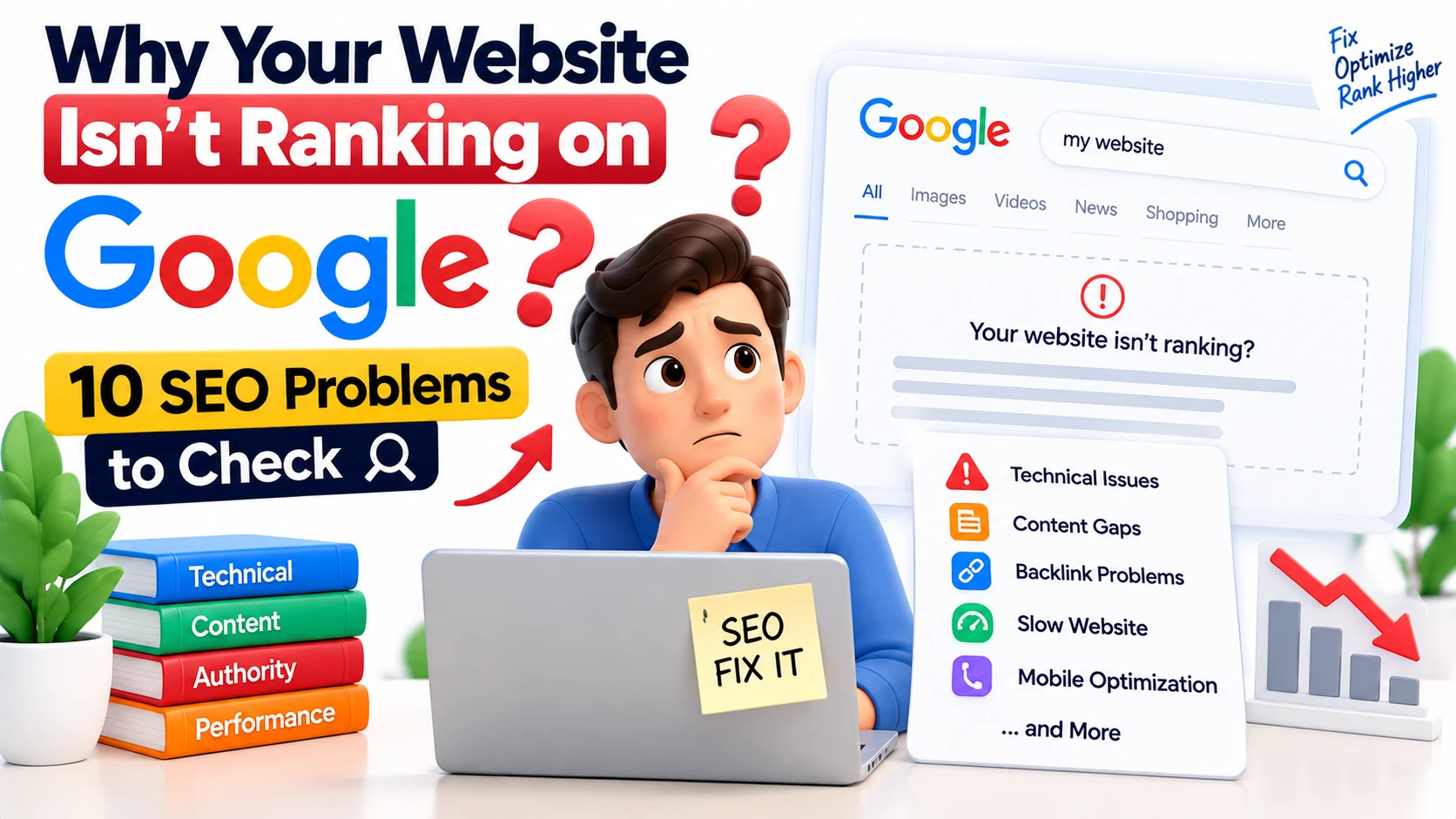
If your website isn't appearing on Google, don't immediately assume you need more backlinks, more content, or more keywords.
The real problem could be much simpler.
Your page might not be indexed. Google might not understand the page's purpose. Your content might not match what people are searching for. Or several pages on your website could be competing for the same search intent.
This guide covers 10 SEO problems worth checking before you make major changes to your website.
1. Your Page Isn't Indexed
The first question is simple:
Can Google actually find and index your page?
A page can be live on your website without appearing in Google's index.
Use Google Search Console to inspect important URLs and check their indexing status.
Look for:
URL indexing status
noindexdirectivesCrawl errors
Canonical URLs
Robots restrictions
Search visibility
Don't optimize an invisible page
If Google isn't indexing your page, rewriting the title or adding more keywords won't solve the underlying problem.
Check indexing first.
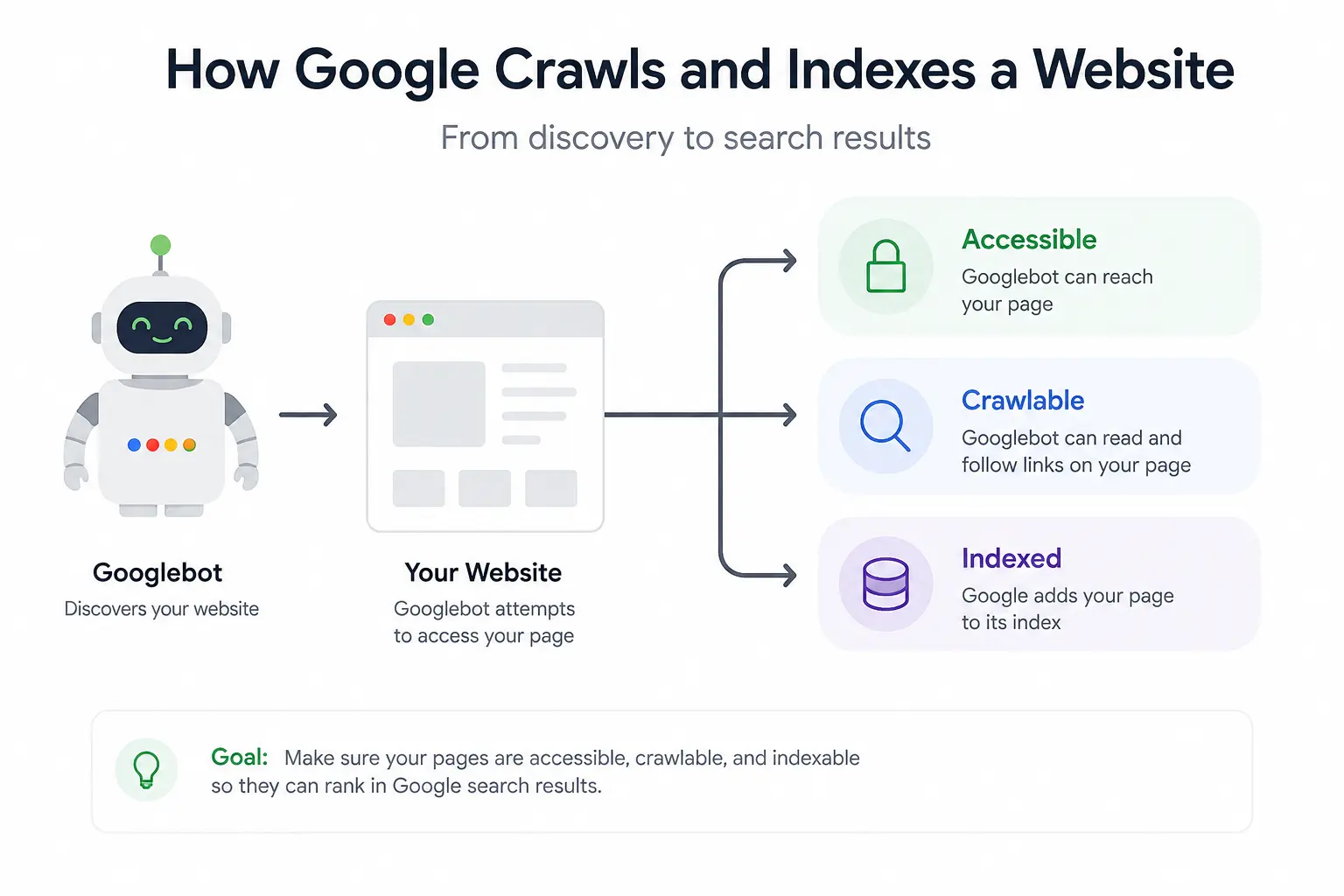
2. Google Can't Crawl Your Website Properly
Google needs to crawl your website to discover and understand its pages.
Problems such as broken links, server errors, incorrect redirects, or blocked resources can interfere with crawling.
Check these areas:
robots.txtInternal links
Server response codes
Redirects
XML sitemap
Important pages with no links pointing to them
3. Your Page Doesn't Match Search Intent
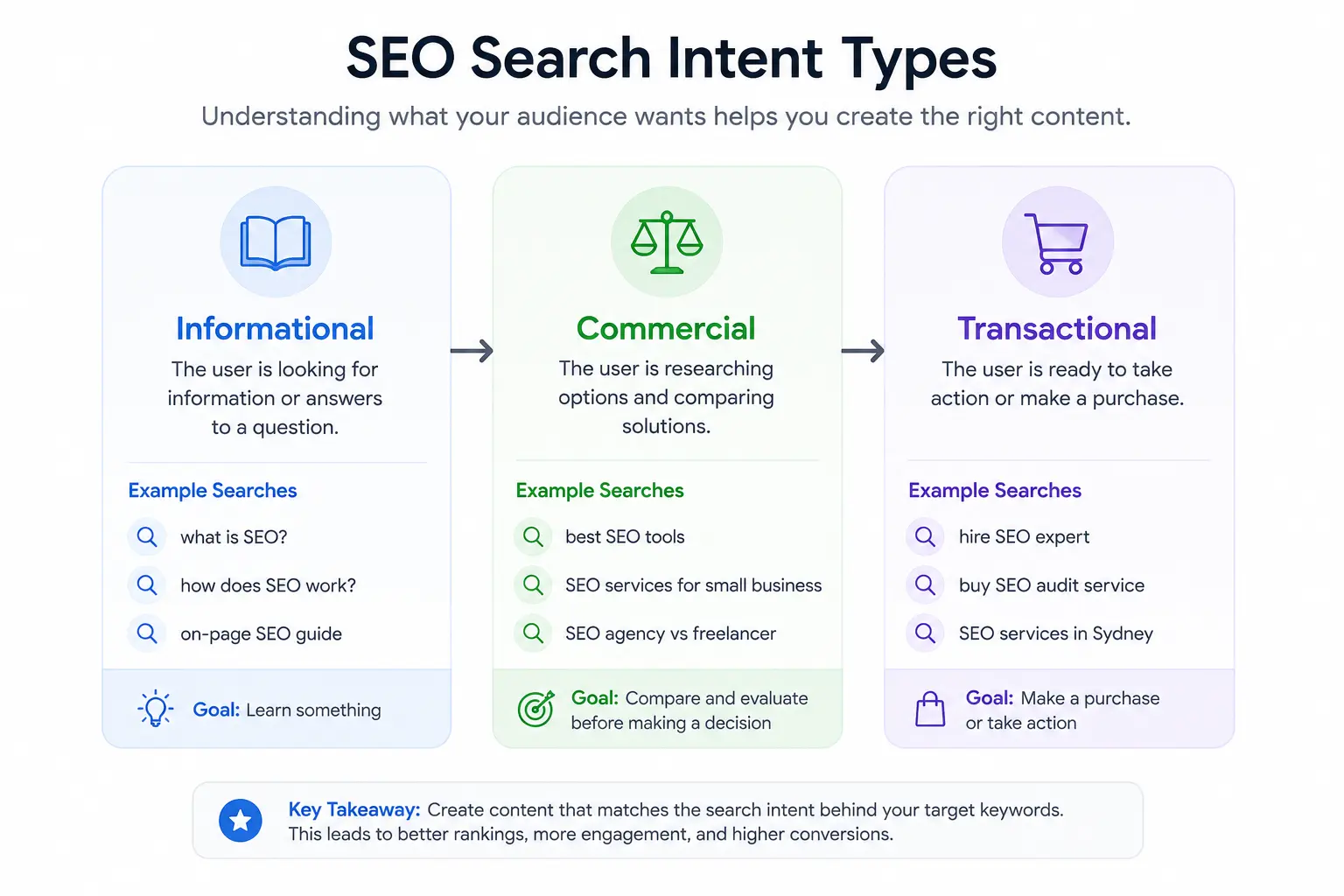
This is one of the biggest reasons a page can struggle.
Consider:
"What is SEO?"
The searcher wants information.
"SEO services"
The searcher may be looking for a provider.
"How to improve SEO?"
The searcher wants instructions.
These searches are related, but the ideal content isn't identical.
Before optimizing a page, ask:
What does the person searching this actually want?
Then make sure your page gives them that answer.
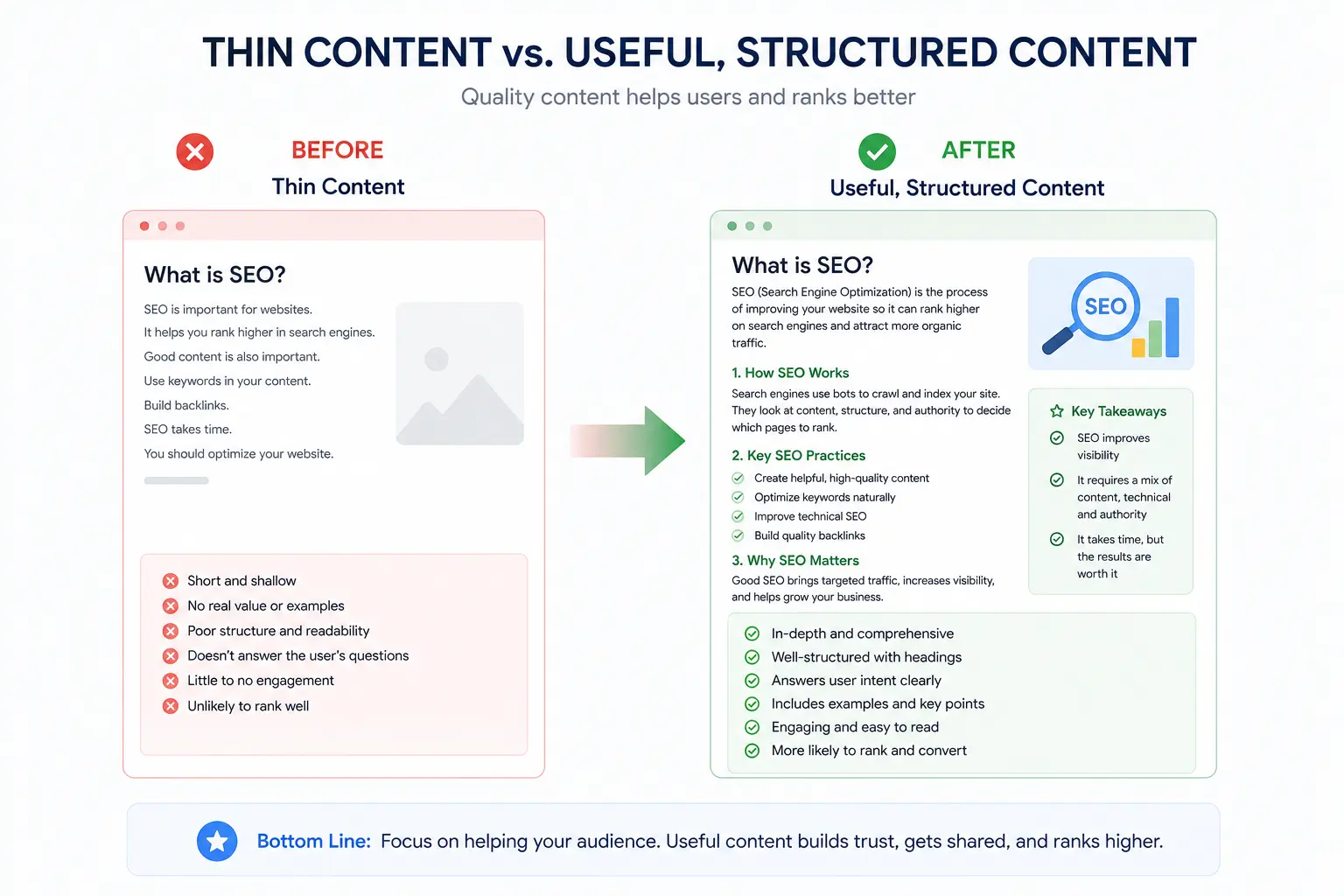
4. Your Content Doesn't Provide Enough Value
More words don't automatically mean better SEO.
A 700-word article that solves a problem can be more useful than a 3,000-word article full of repetition.
Review your content and ask:
Does it answer the main question?
Does it explain the topic clearly?
Does it provide examples?
Does it contain useful information?
Does it offer something beyond generic advice?
Is the information accurate and current?
Google's people-first content guidance focuses on creating helpful, reliable content for people rather than producing content primarily to manipulate search rankings.
The reader test
Read your article as a potential customer.
Ask:
"Did I actually learn something useful here?"
If not, improve the information not simply the word count.
5. Your Internal Linking Is Weak
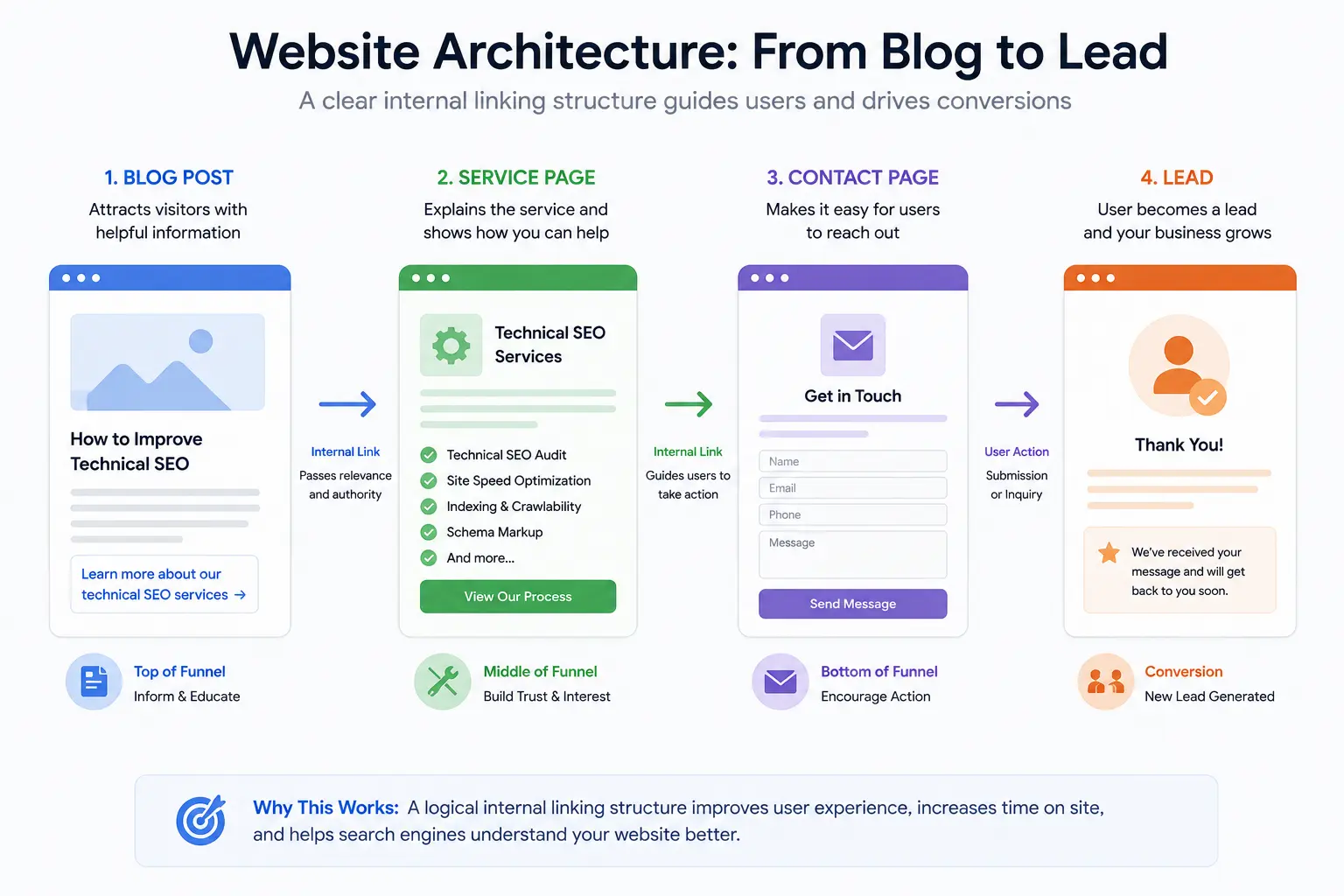
You may already have good content on your website but your pages aren't connected properly.
For example:
Helpful blog → Relevant service → Contact page
That's a natural user journey.
If you're explaining technical SEO problems, you can naturally direct readers to Webastr's technical SEO services when professional help becomes relevant.
Good internal links should:
Make sense in the paragraph
Help the reader
Describe the destination
Use natural anchor text
Connect related topics
Don't add links simply because you want to insert keywords.
6. Your Website Has Technical SEO Problems
Sometimes your content is perfectly fine.
The problem is technical.
Common issues include:
Incorrect canonical tags
Duplicate URLs
Broken pages
Redirect chains
Incorrect status codes
Accidental
noindexXML sitemap problems
Poor site architecture
Orphan pages
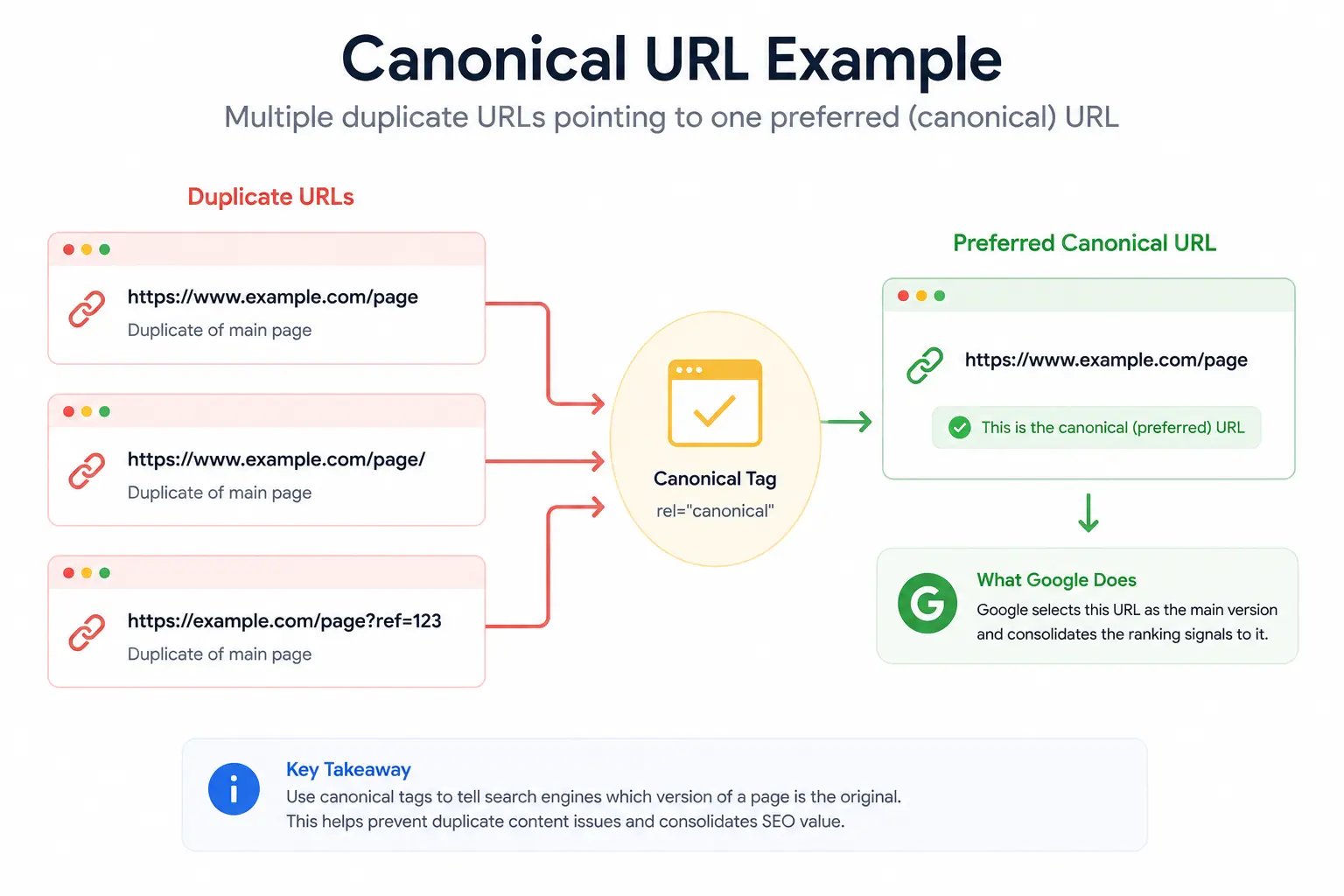
Canonical URLs deserve special attention
If multiple URLs contain similar content, Google may select one URL as the representative version.
Don't add canonical tags randomly.
First understand which pages are duplicates or substantially similar and which URL should be treated as the preferred version.
7. Your Website Is Slow or Difficult to Use
Getting someone to click your result is only the beginning.
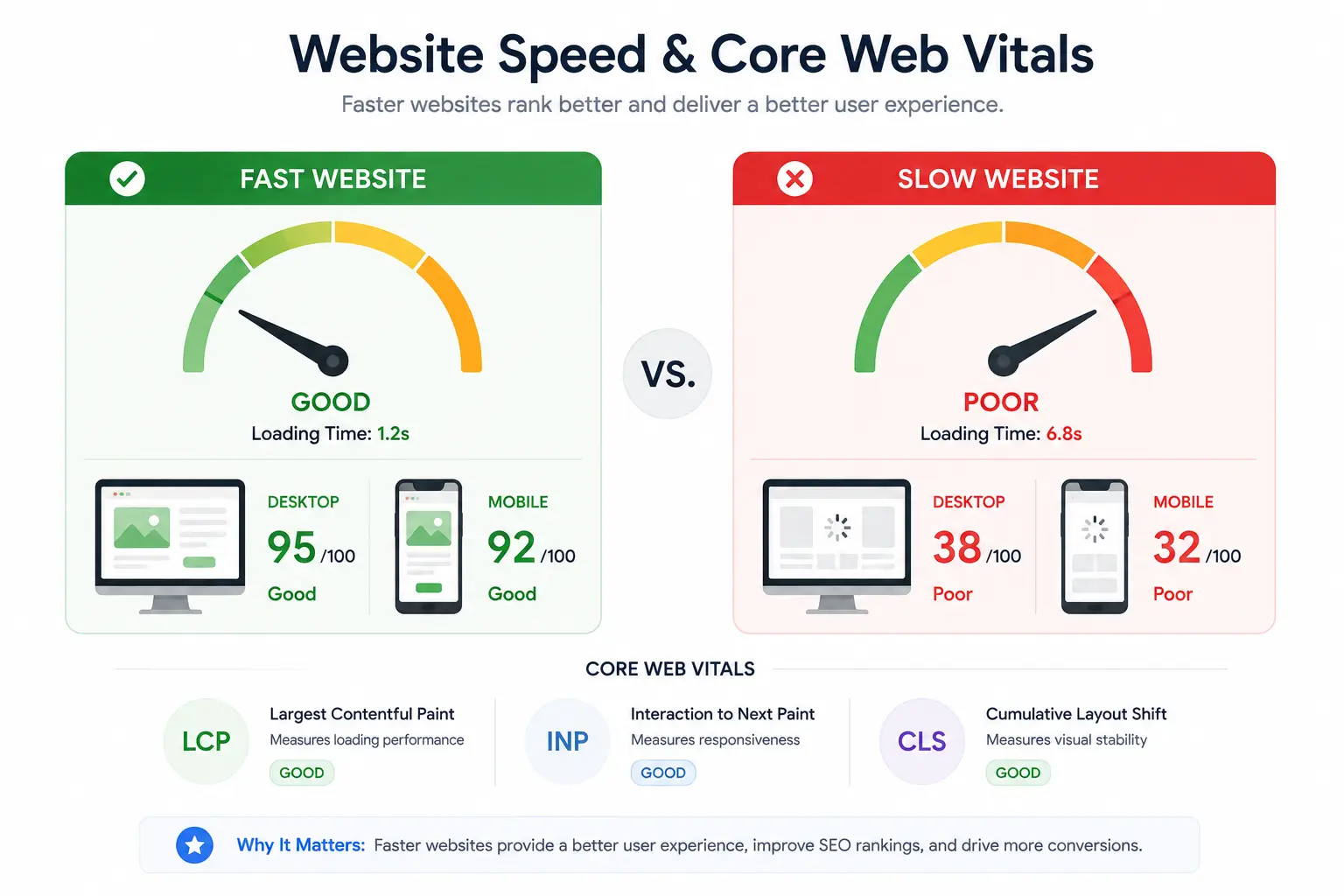
If the website takes too long to load or is difficult to use on mobile, the visitor may leave before finding what they need.
Google's Core Web Vitals include:
| Metric | Measures |
|---|---|
| LCP | Loading performance |
| INP | Responsiveness |
| CLS | Visual stability |
Check your website for:
Large images
Slow scripts
Mobile usability problems
Layout shifts
Slow server response
Unnecessary third-party resources
8. You're Targeting the Wrong Keywords
Not every keyword with search volume is a good keyword for your business.
For example, a local SEO agency may want to rank for:
SEO
But that's extremely broad.
A more focused strategy could target searches such as:
SEO services for small businesses
local SEO services
technical SEO services
SEO services in Sydney
The right choice depends on your audience, location, competition, search intent, and business objectives.
Before choosing a keyword, ask:
Is it relevant?
What is the searcher's intent?
Can this page satisfy the search?
Could this search bring a potential customer?
Do I already have another page targeting the same intent?
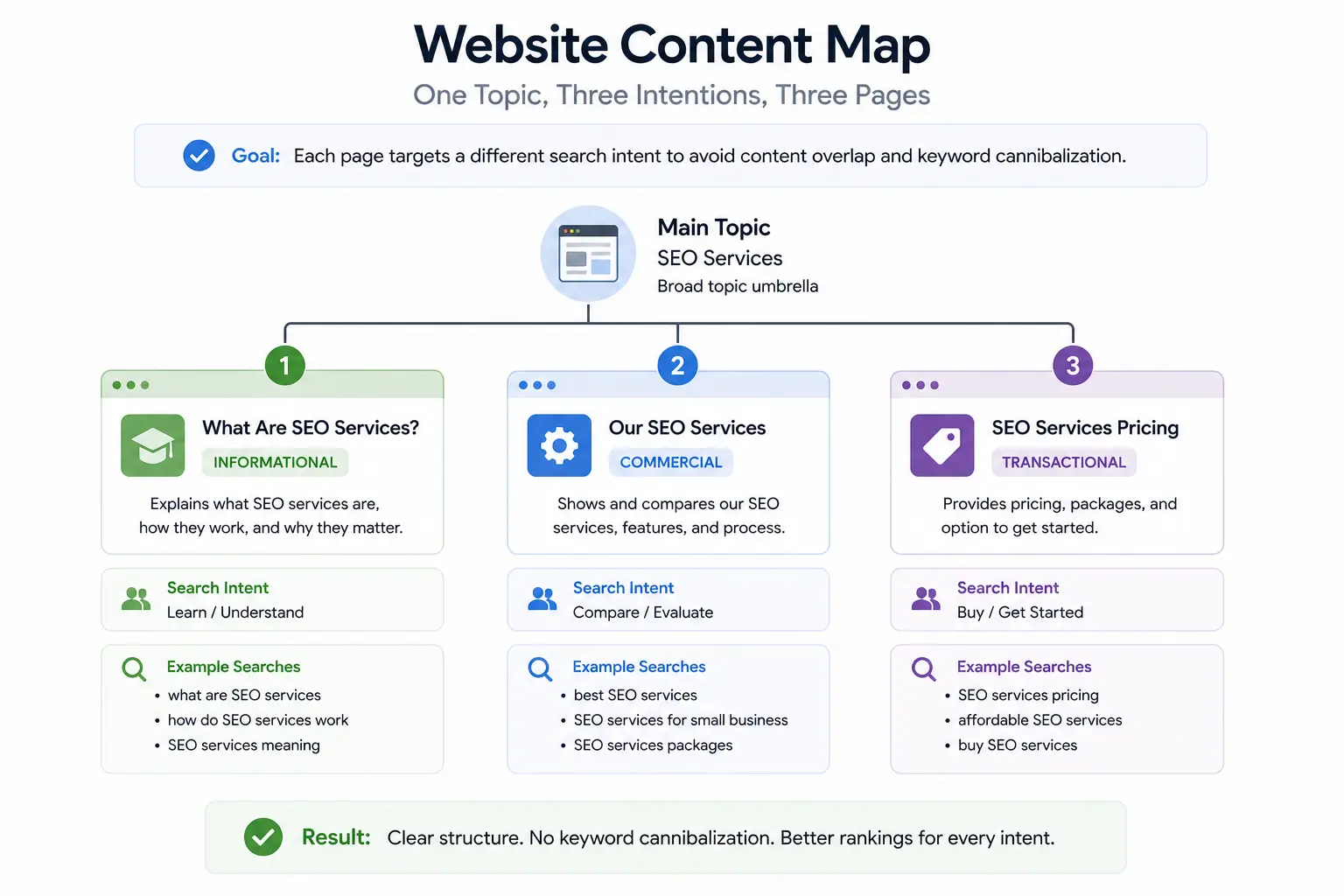
9. Your Pages Are Competing With Each Other
Creating more pages isn't always the solution.
Imagine creating separate pages for:
SEO services
Best SEO services
Professional SEO services
Top SEO services
SEO services company
If all of them satisfy essentially the same search intent, you're creating unnecessary overlap.
Before creating a new page, ask:
Does this topic represent a genuinely different search need?
If not, strengthening the existing page may be a better strategy.
Think in terms of page purpose
Service page:
Helps people understand and purchase a service.
Informational blog:
Answers a specific question.
Supporting blog:
Explains a related problem or process.
Clear page purposes make your website easier to manage and reduce unnecessary keyword overlap.
10. Your Competitors May Simply Have a Better Result
Sometimes nothing is technically broken.
Your page is indexed.
Google can crawl it.
Your content is reasonable.
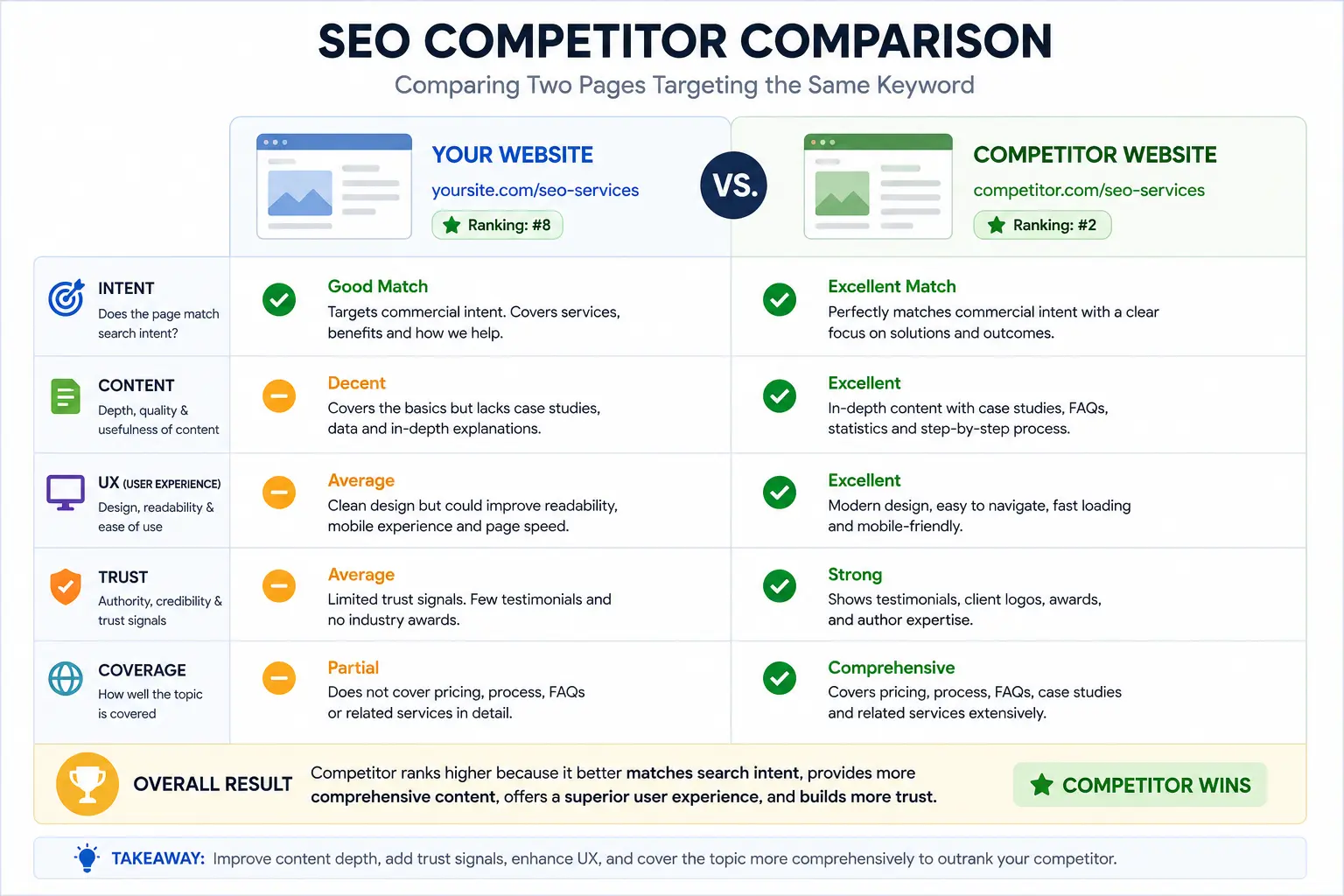
But another website still ranks higher.
Why?
Because the competing page may provide a better overall answer.
Compare the ranking pages for your target search.
Look at:
Search intent
Content structure
Information depth
Examples
Original insights
Trust signals
Internal links
User experience
Topical coverage
Don't simply copy what competitors have.
Ask:
"What would make my page more useful to the person searching?"
That's where meaningful SEO improvements usually begin.
The 10 SEO Problems at a Glance
| Problem | What to Check | Priority |
|---|---|---|
| Indexing | Search Console | High |
| Crawling | Robots, links, server | High |
| Search intent | Google results | High |
| Content | Usefulness and coverage | High |
| Internal links | Contextual links | Medium |
| Technical SEO | Canonicals, redirects | High |
| Page experience | Speed and mobile UX | Medium |
| Keywords | Keyword-to-page mapping | High |
| Page overlap | Search intent conflicts | High |
| Competition | Ranking pages | High |
How an SEO Professional Would Diagnose It
A professional SEO process shouldn't start with:
"Let's add more keywords."
It should start with:
"Let's find out what is actually preventing this page from performing."
Step 1: Check Search Console
Look at:
Impressions
Clicks
CTR
Queries
Pages
Indexing
Step 2: Check important URLs
Start with pages that can generate business.
Step 3: Check technical SEO
Look at crawling, indexing, redirects, canonicals and site structure.
Step 4: Study search intent
Search the target query and understand what Google is currently showing.
Step 5: Improve the content
Make the page clearer, more useful and more relevant.
Step 6: Strengthen internal links
Connect relevant informational content to important commercial pages.
Step 7: Compare competitors
Identify genuine content and experience gaps.
Step 8: Prioritize
Don't fix 100 things at once.
Find the highest-impact problem first.
Don't Just Chase Rankings Look at Leads
This is especially important for service businesses.
Imagine your website gets thousands of visitors but almost no enquiries.
Is that successful SEO?
Not necessarily.
A better SEO journey looks like:
Search → Click → Relevant Page → Trust → Contact → Lead
Your website should make it easy for the right visitor to understand your service and take the next step.
If you're already getting traffic but not enough enquiries, the problem may be your conversion journey, not simply your rankings.
When Should You Consider Professional SEO Help?
Professional SEO can be useful when:
Your rankings have stopped improving
Organic traffic is declining
Technical problems are difficult to diagnose
Competitors consistently outrank you
Your website has many pages
You target multiple locations
You target multiple countries
You don't know which keywords to prioritize
Your content isn't generating enquiries
Your team doesn't have enough SEO expertise
The goal isn't to hire someone just to "do SEO."
The goal is to have someone identify what needs to be done, why it matters, and what should happen first.