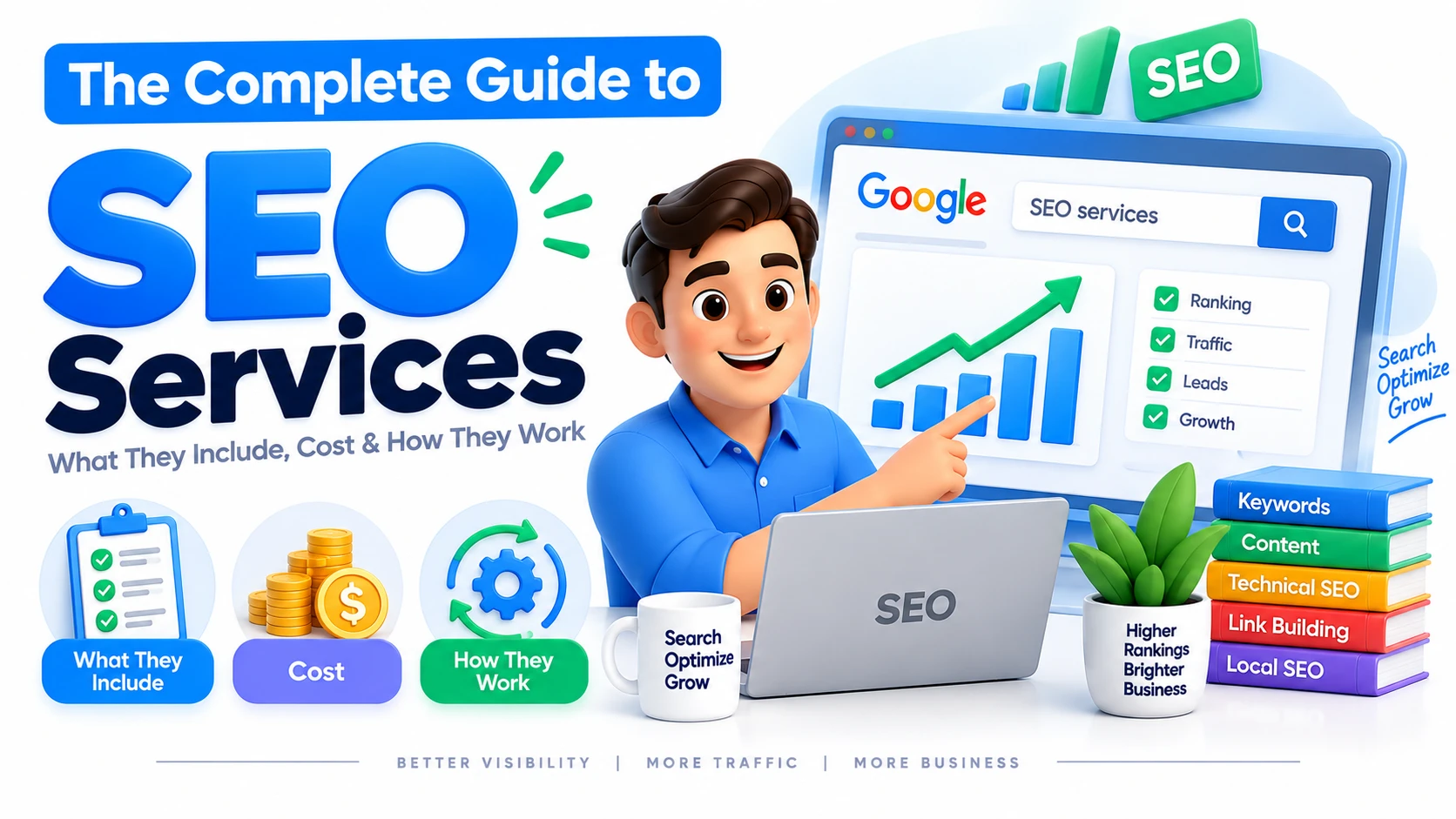
If your website is not attracting enough organic traffic, you may be wondering what SEO services actually include, how they work, and whether investing in SEO is worth it. With different approaches such as technical SEO, local SEO, ecommerce SEO, content optimization, and link building, choosing the right strategy can be confusing.SEO services help businesses improve their visibility in search engines by optimizing their websites, content, technical structure, and overall search presence. The right approach depends on your business goals, competition, website condition, target audience, and the markets you want to reach.This guide explains what SEO services include, how they work, what affects their cost, which types of businesses can benefit from them, and how to choose an SEO provider.What Are SEO Services?SEO services are professional activities designed to improve a website's visibility in organic search results. They can involve technical improvements, content optimization, keyword research, website structure, local optimization, authority building, and ongoing performance analysis.The exact work depends on the website and its objectives. A local business may need a different SEO strategy from an ecommerce store or a SaaS company.Common SEO services include:Keyword research and search-intent analysisOn-page SEOTechnical SEOContent optimizationInternal linkingOff-page SEOLink building and outreachLocal SEOEcommerce SEOInternational SEOCompetitor analysisSEO performance monitoringThe purpose is not simply to rank for more keywords. Effective SEO should help a business reach the right audience and create opportunities for relevant traffic, enquiries, sales, or other business outcomes.What Do SEO Services Include?SEO is made up of several connected areas. A professional strategy normally combines multiple activities rather than relying on one technique.On-Page SEOOn-page SEO focuses on improving elements within individual website pages.This can include:Page titlesMeta descriptionsHeadingsContent structureKeyword targetingSearch intentImages and alt textInternal linksURLsThe objective is to make each important page clear, useful, and relevant to the searches it is designed to serve.Technical SEOTechnical SEO focuses on the technical elements that affect how search engines access, understand, and index a website.Depending on the website, this can involve:Crawling and indexingSite architectureXML sitemapsCanonicalizationStructured dataMobile usabilityPage performanceRedirectsDuplicate contentInternal linkingTechnical work should be prioritized according to the actual problems and opportunities found on the website.Content OptimizationSEO content should answer the questions and needs behind relevant searches.Content optimization can involve improving existing pages, creating useful supporting content, identifying content gaps, and organizing topics into a logical website structure.A strong content strategy focuses on usefulness and search intent rather than repeatedly inserting keywords.Off-Page SEO and Link BuildingOff-page SEO focuses on factors outside your website that can contribute to its search presence.One important area is earning relevant links from other websites. SEO outreach can involve identifying suitable publications, websites, organizations, and industry resources and developing legitimate opportunities for relevant mentions or links.Quality and relevance are more important than simply accumulating large numbers of links.How Do SEO Services Work?SEO is generally an ongoing process rather than a one-time task.A typical campaign can follow these stages.1. Website and Business AnalysisThe first step is understanding the website, business model, target audience, competitors, existing search performance, and business goals.This helps identify which SEO activities are likely to have the greatest value.2. Keyword and Search Intent ResearchKeyword research identifies how potential customers search for products, services, and information.However, search volume alone should not determine what you target. Search intent, relevance, competition, and business value are also important.For example, an informational query may attract someone researching a problem, while a commercial query may come from someone comparing providers.3. SEO AuditAn SEO audit can identify technical, content, structural, and optimization issues.The audit should then be converted into a prioritized action plan rather than simply producing a long list of problems.4. OptimizationThe next stage involves implementing relevant improvements.Depending on the website, this may include technical fixes, content updates, internal linking, metadata improvements, website restructuring, or optimization of important commercial pages.5. Authority and PromotionSome websites also require off-page activities such as digital PR, outreach, and relevant link acquisition.These activities should support the website's overall authority and content strategy rather than operate separately from it.6. Measurement and ImprovementSEO performance should be monitored over time.Useful metrics can include:Organic clicksSearch impressionsClick-through rateSearch visibilityKeyword performanceOrganic conversionsLeadsRevenue where measurableThe data can then be used to refine the strategy.How Much Do SEO Services Cost?There is no single price for SEO services because the amount of work varies significantly between websites.SEO pricing can be affected by:Website sizeNumber of pagesTechnical complexityCompetitionTarget locationsNumber of services or productsContent requirementsLink-building requirementsExisting website authorityBusiness objectivesScope of ongoing workA small local business may need a relatively focused campaign, while an ecommerce or enterprise website may require significantly more ongoing work.Be cautious of choosing an SEO provider based solely on the cheapest price. A low-cost package may offer limited work, while a higher-priced campaign may include more analysis, implementation, content, technical optimization, and ongoing strategy.The better question is what work is included and whether it supports your business objectives?What Are Monthly SEO Services?Monthly SEO services provide ongoing optimization rather than a one-time website audit.A monthly SEO campaign may include:Performance monitoringKeyword researchContent optimizationTechnical SEO improvementsInternal linkingCompetitor analysisContent planningOff-page activitiesReportingStrategy adjustmentsSEO requires ongoing attention because search results, competitors, websites, content, and customer behavior can change over time.The exact monthly activities should be based on the website's needs rather than following an identical checklist every month.SEO Services for Different Types of BusinessesEcommerce WebsitesEcommerce SEO can focus on product pages, category pages, faceted navigation, internal linking, technical issues, product content, and search demand.Platforms such as Shopify and WooCommerce can also require platform-specific considerations.SaaS BusinessesSaaS SEO can focus on product-related searches, educational content, comparison topics, use cases, solution pages, and bottom-of-funnel queries.The strategy should connect informational content with pages that support product discovery and conversions.Local BusinessesLocal SEO helps businesses target customers searching within specific geographic areas.The strategy can involve location relevance, business information, local content, reviews, and other local search signals.Businesses Targeting Multiple CountriesInternational and multilingual SEO can help businesses organize content for different countries and languages.This requires careful consideration of localization, website structure, search behavior, and technical implementation.Should You Outsource SEO Services?Businesses can manage SEO internally, outsource it to an agency or consultant, or use a combination of internal and external resources.Outsourcing can make sense when:Your team lacks specialist SEO knowledgeYou do not have enough resources for ongoing optimizationYour website has technical complexityYou need an external perspectiveYou want access to SEO tools and expertiseYou are expanding into competitive marketsBefore outsourcing, ask potential providers what they actually do, how they measure progress, how they communicate results, and which parts of the strategy they will implement.Avoid providers that guarantee specific rankings or promise unrealistic results within a fixed timeframe.How SEO Services Generate LeadsSEO can contribute to lead generation by connecting relevant searches with useful website experiences.For example, someone may search for information about improving their website's visibility. They read an informative article, discover a relevant service page, review the company's expertise, and then request a consultation.A strong SEO funnel can look like:Search → Information → Trust → Service Page → Consultation → LeadTo support this journey, your website should have:Useful informational contentRelevant service pagesClear internal linksStrong calls to actionEasy contact optionsHelpful conversion-focused informationTraffic is valuable, but qualified traffic that contributes to business enquiries is usually more important.How to Choose the Right SEO Services1. Define Your GoalDecide whether your priority is:More organic trafficMore leadsLocal visibilityEcommerce salesInternational expansionBetter technical performanceImproved existing content2. Review the ScopeAsk exactly what the provider will work on each month.3. Check ReportingReports should help you understand what changed, what was completed, what the data shows, and what happens next.4. Look for a Customized StrategyYour SEO strategy should reflect your website and market rather than being a generic package applied to every business.5. Improve Business RelevanceThe provider should understand your customers, services, competition, and conversion goals not just keywords.Common SEO Mistakes to AvoidChoosing SEO Based Only on PriceThe cheapest SEO package is not necessarily the best value. Focus on scope, quality, expertise, and expected business value.Creating Pages for Every Keyword VariationCreating many pages targeting nearly identical search intent can create unnecessary overlap.A better approach is to group closely related queries and create a useful page that satisfies the underlying intent.Focusing Only on RankingsRankings are useful indicators, but they do not automatically generate customers. Track organic traffic, engagement, conversions, leads, and other meaningful business outcomes.Publishing Content Without a StrategyMore articles do not automatically mean more organic growth. Content should have a clear purpose, audience, search intent, and relationship to the rest of the website.Expecting Immediate ResultsSEO can take time because search engines need to discover, process, and reassess changes. Results also depend on competition, website history, implementation quality, and the type of work being performed.Best Practices for SEO ServicesA sustainable SEO strategy should:Focus on users and search intentPrioritize relevant business opportunitiesMaintain technically accessible pagesCreate genuinely useful contentBuild a logical internal-link structureAvoid unnecessary duplicate pagesMonitor organic performanceImprove existing content where appropriateEarn relevant authority naturallyConnect SEO with conversion goalsAdjust the strategy based on dataMost importantly, SEO should be treated as an ongoing business-growth activity rather than a collection of isolated tasks.ConclusionSEO services can help businesses improve their organic search presence, reach relevant audiences, and create more opportunities for growth. However, effective SEO is not about applying every possible tactic to a website. It is about identifying the right opportunities and building a strategy around the business's actual goals.Whether you need technical improvements, content optimization, local visibility, ecommerce SEO, international search support, or a broader SEO strategy, the first step is understanding what your website needs.





 October 17, 2026